Bunny Offloader automatically transfers media files to Bunny Storage, enabling multi-region replication, near-unlimited scalability, and up to 5x faster performance compared to traditional delivery methods.
Offloader requires Bunny DNS with CDN Acceleration enabled. If you haven’t set this up yet, follow Enable Bunny DNS and CDN Acceleration first.

Enable the Offloader

In your WordPress Admin Panel, navigate to bunny.net → Offloader. Toggle on Content Offloading, adjust settings to your preference, and click Save Settings.
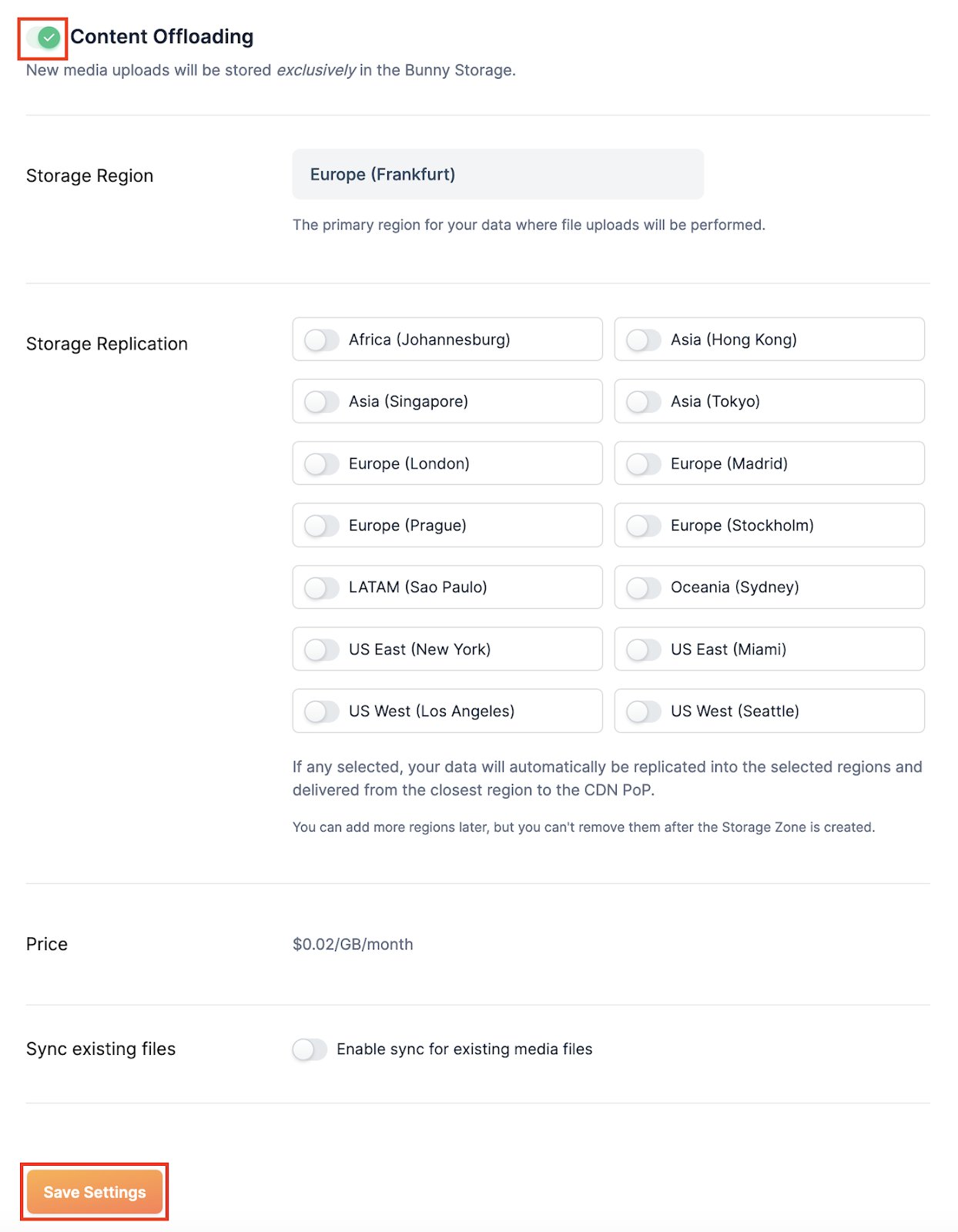
Content Offloading settings
You can monitor offloaded content through the Offloader dashboard.
Last modified on June 23, 2026